
Post a job campaign, preview your matching talent pool, and use credits only when a candidate shows interest and you approve.
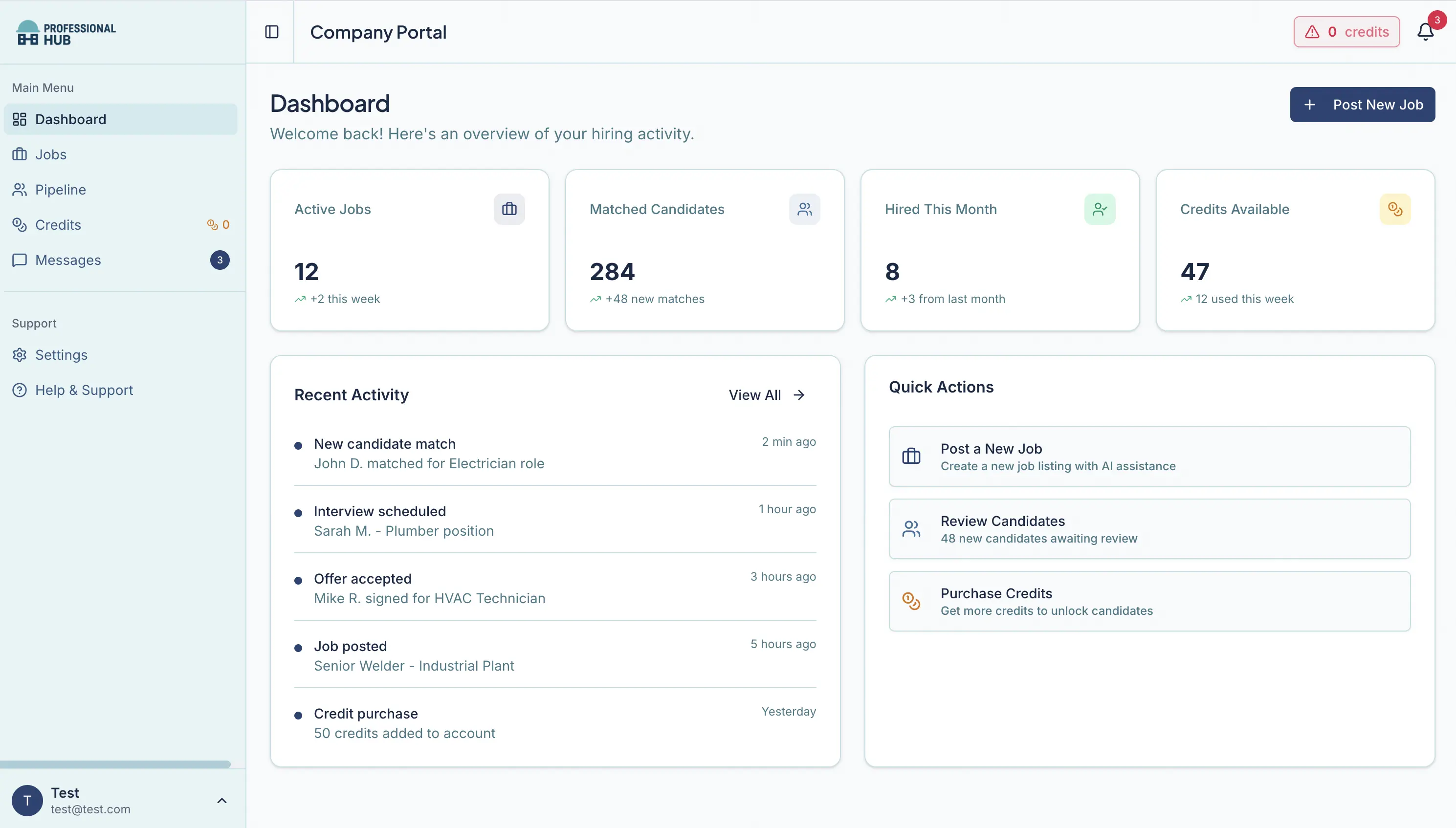
Job campaigns, matching insights, pipeline, and messaging—built for construction.
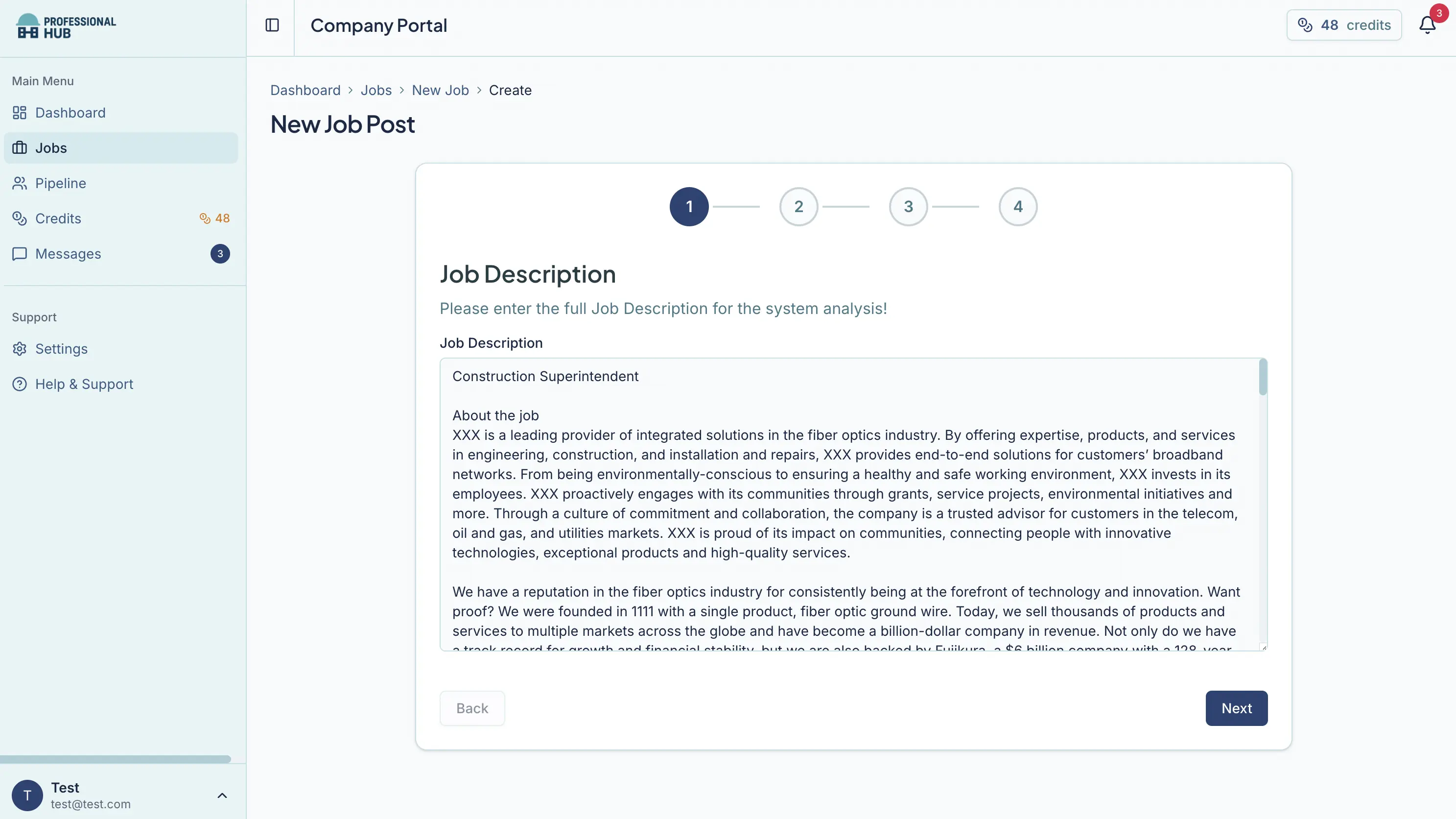
Paste your existing job description. Our AI extracts the key matching parameters (skills, experience, location, certifications), and you can review and edit before launching.



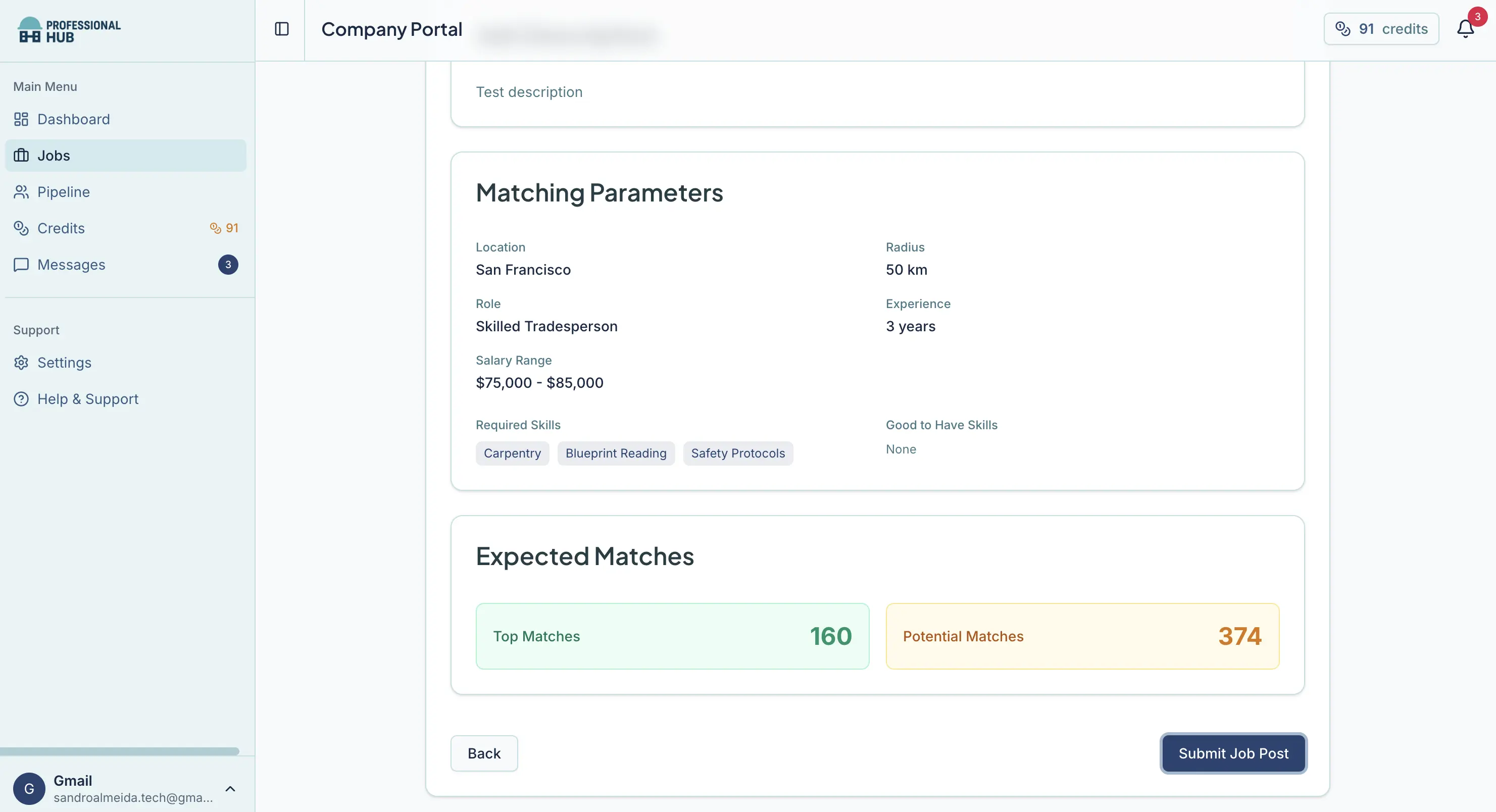
Before you publish, see how your requirements affect the matching pool—spot bottlenecks and get suggestions to expand or limit reach without sacrificing quality.
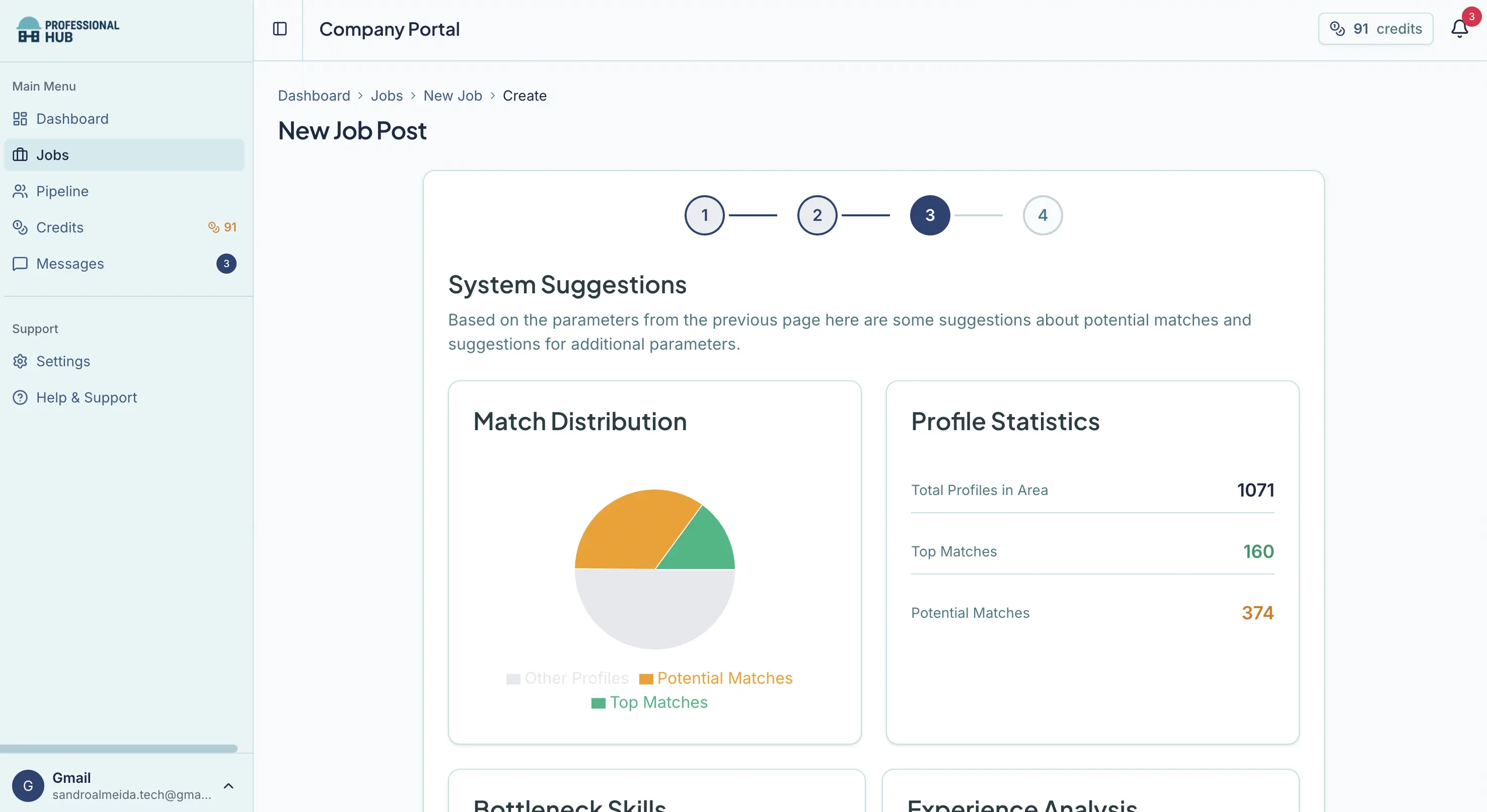
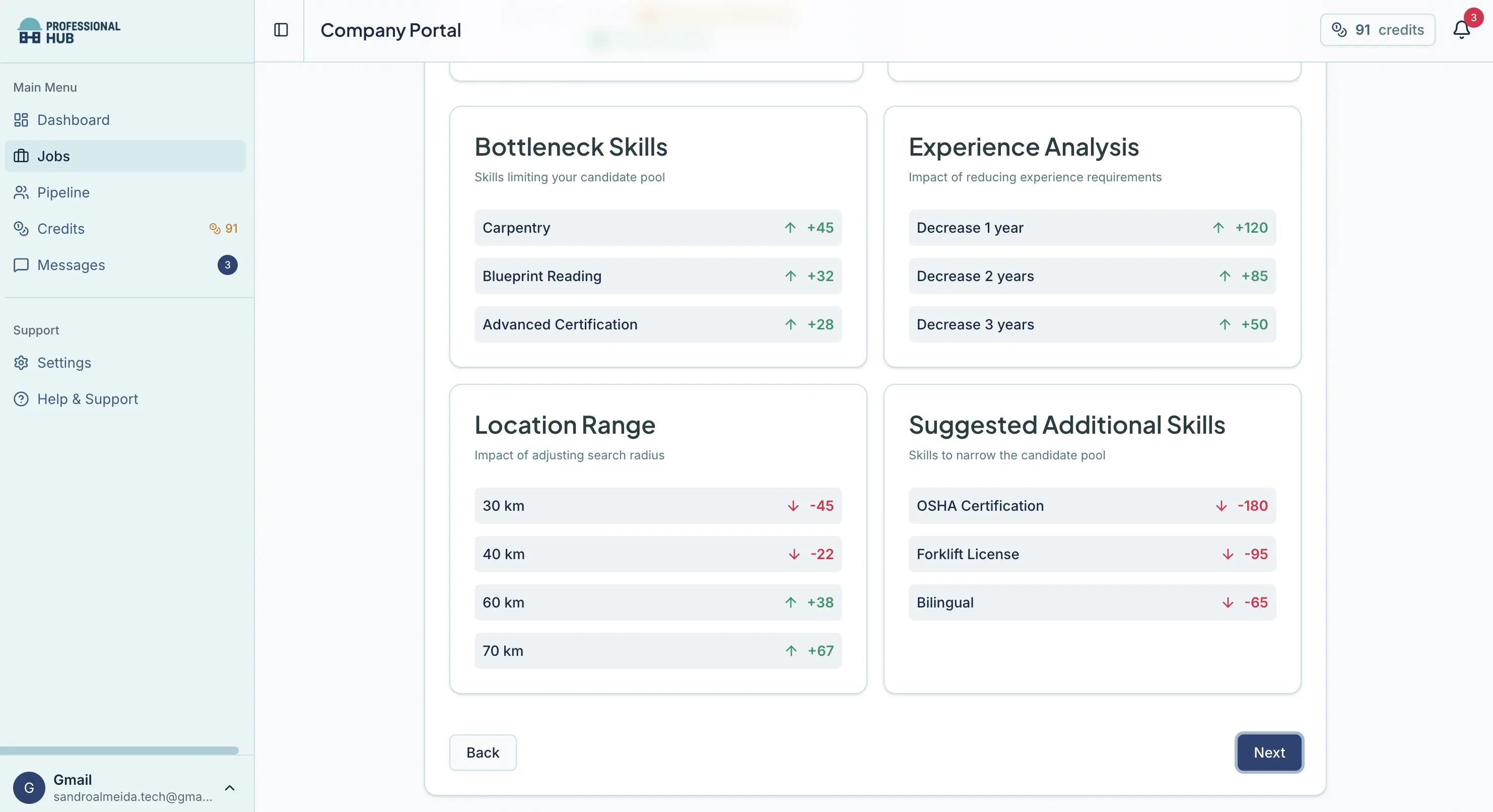
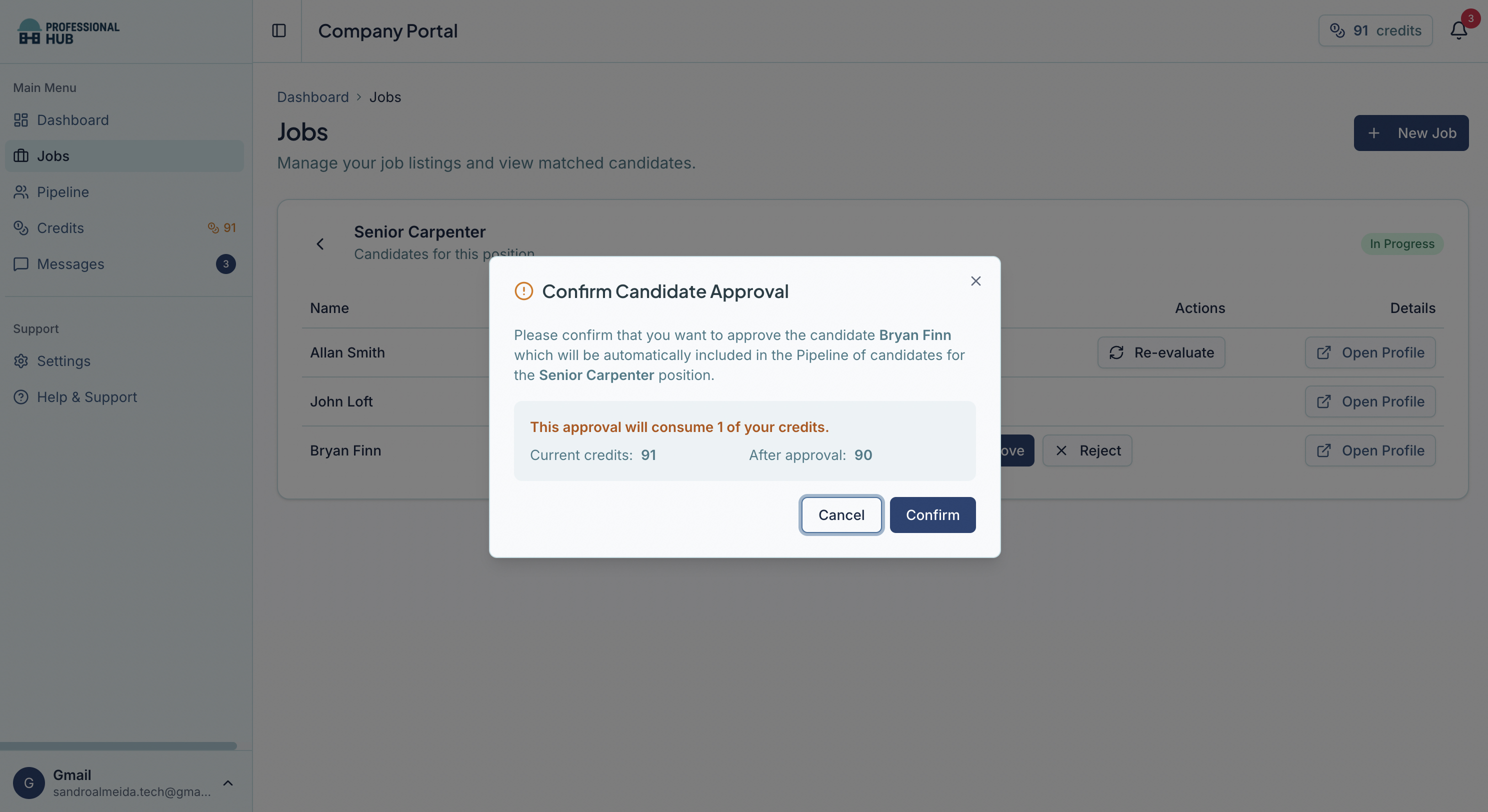
Professional Hub is active recruiting: once your job is posted, we notify matched candidates via our mobile app. When a candidate shows interest, you review the full profile and approve—only then are credits used and contact info + messaging unlocked.
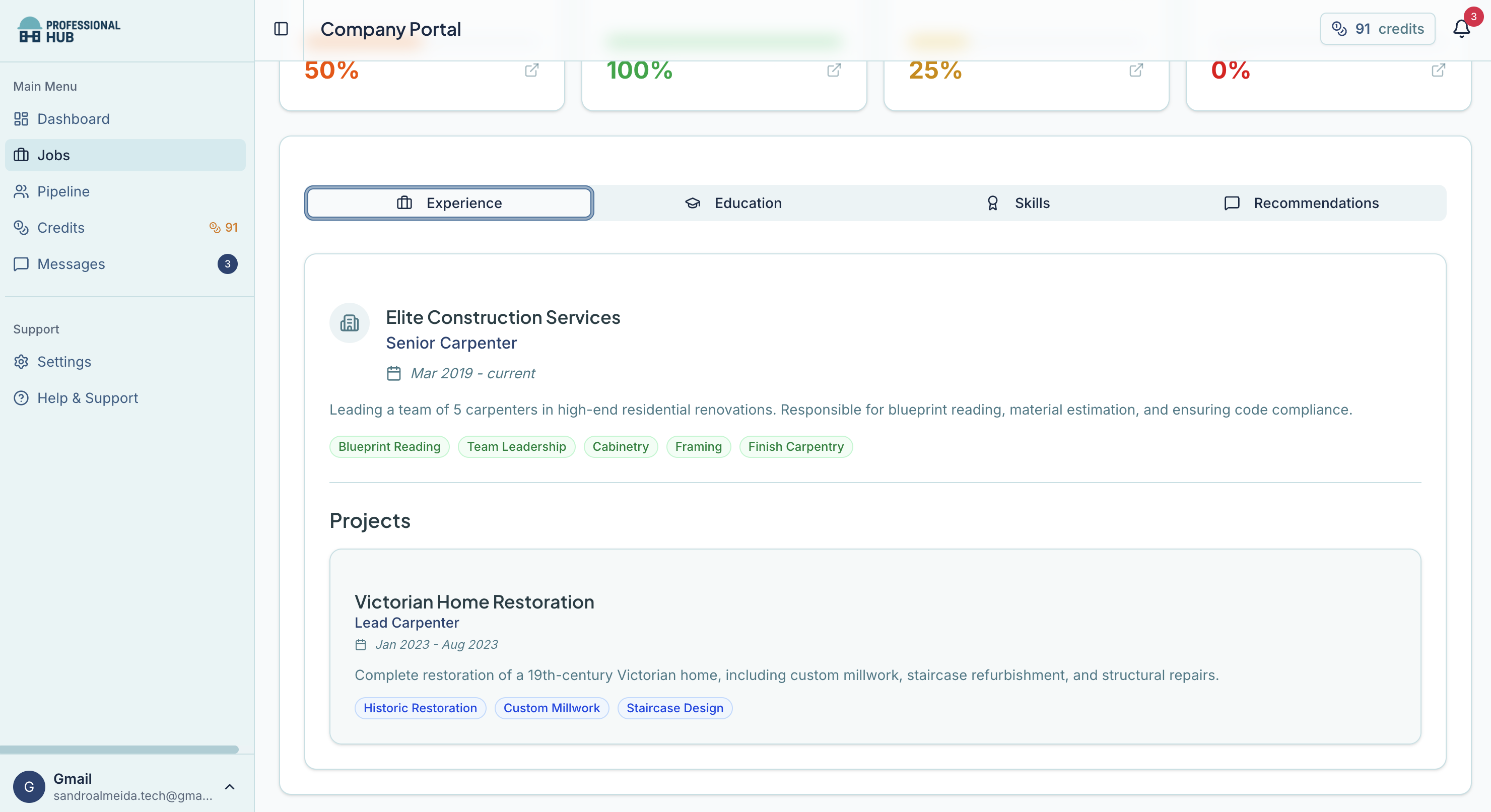
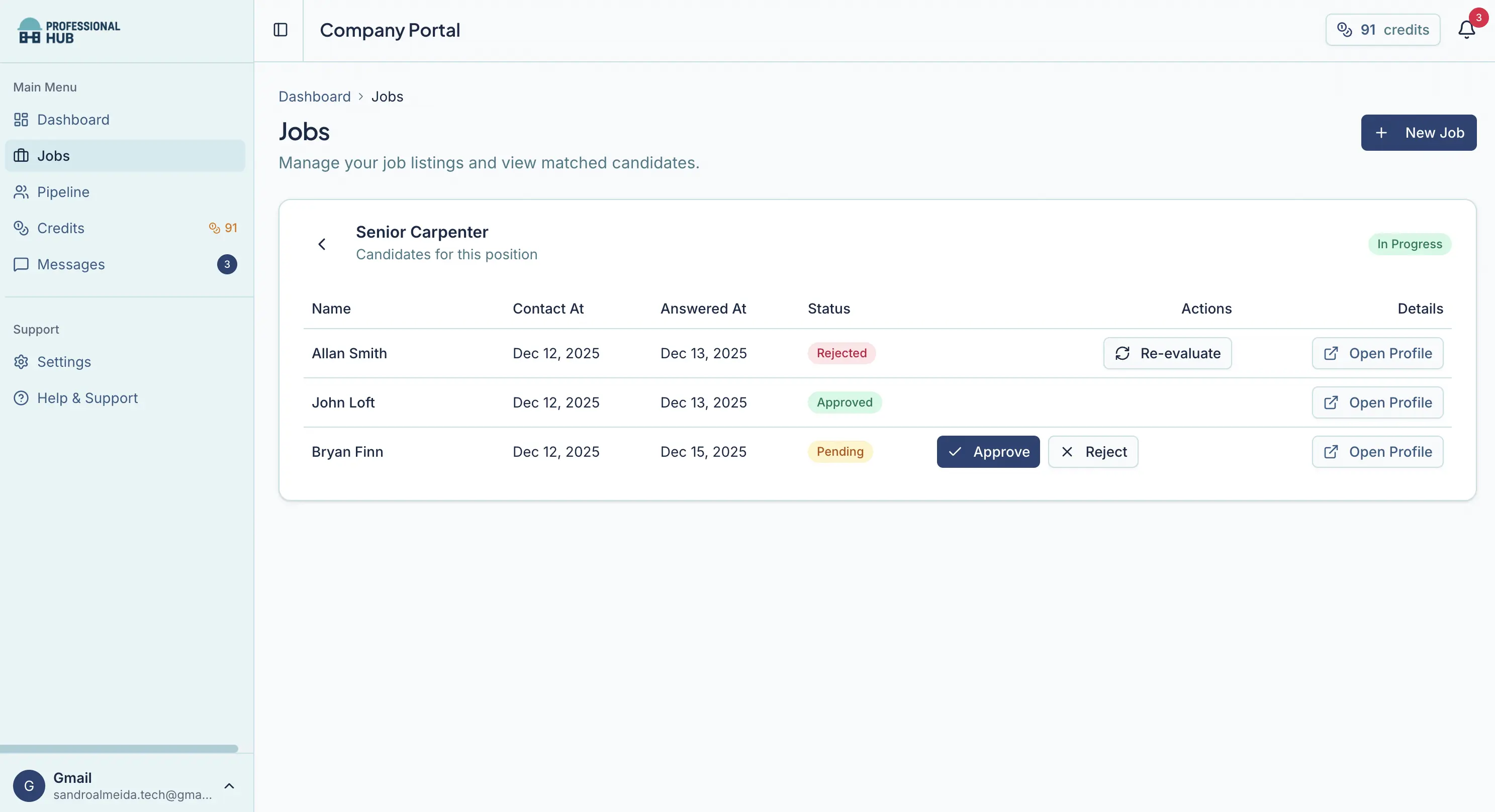
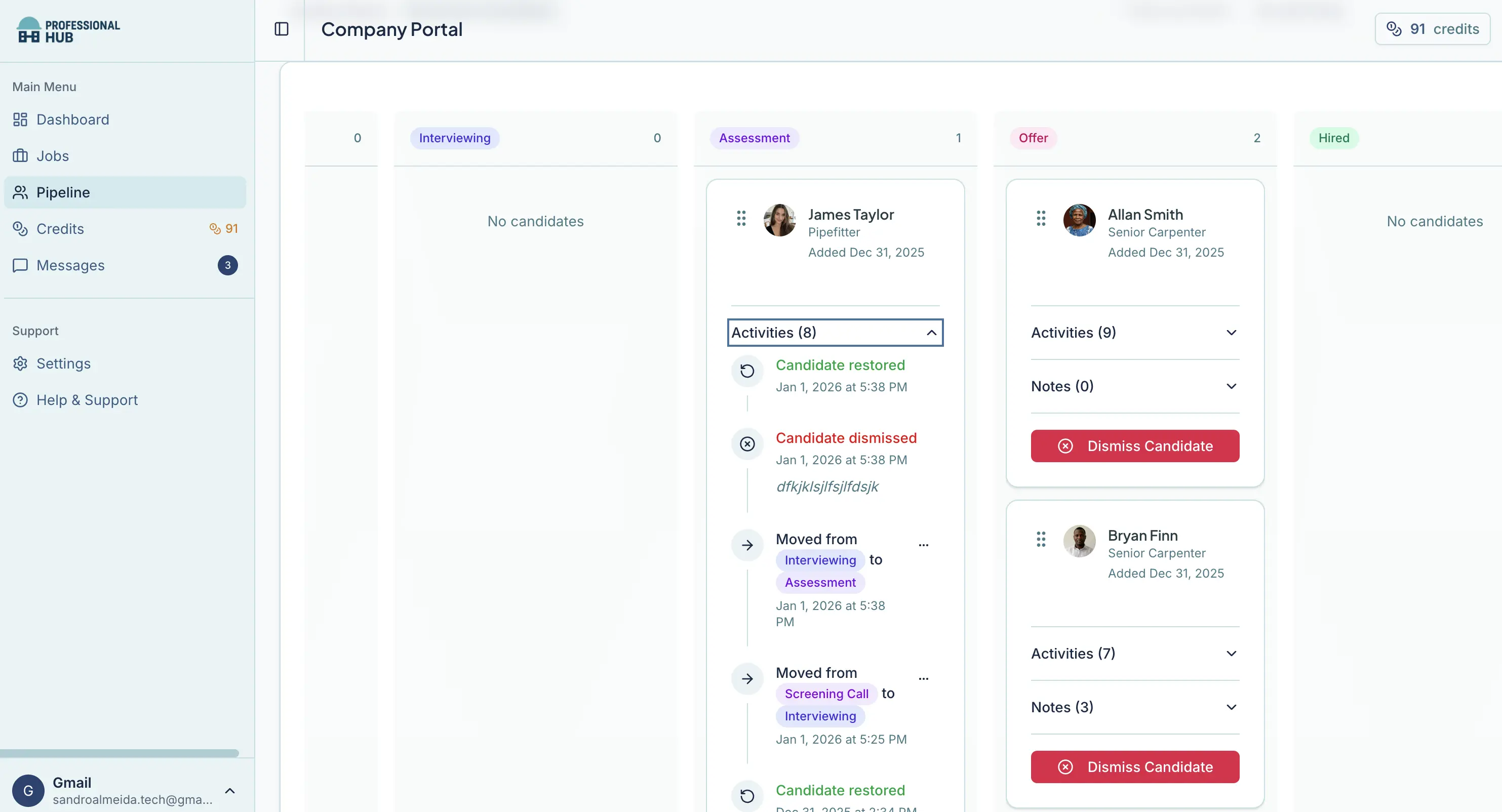
Manage approved candidates through every stage—from screening to offer and probation—with full activity history and notes in one place.
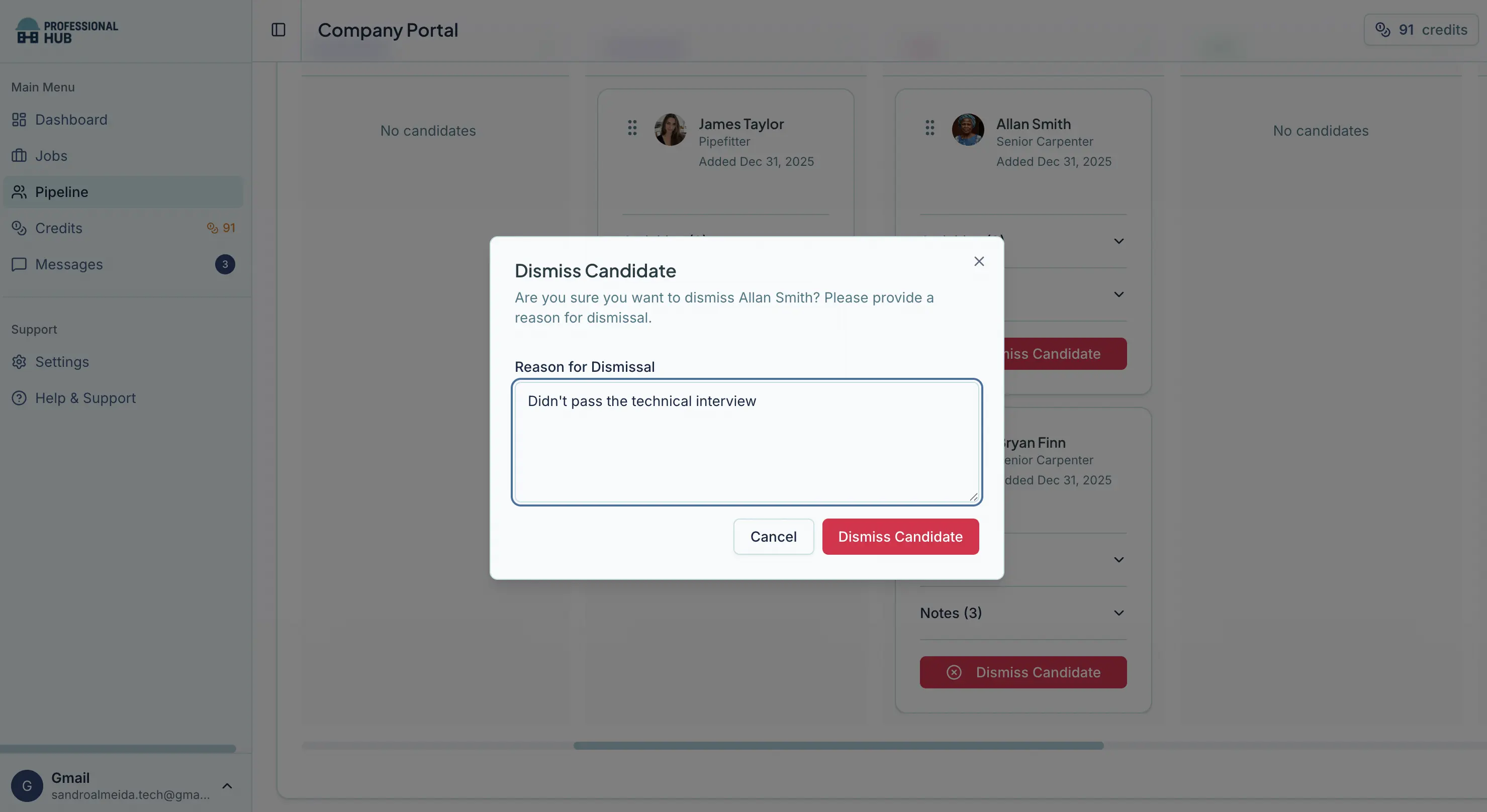

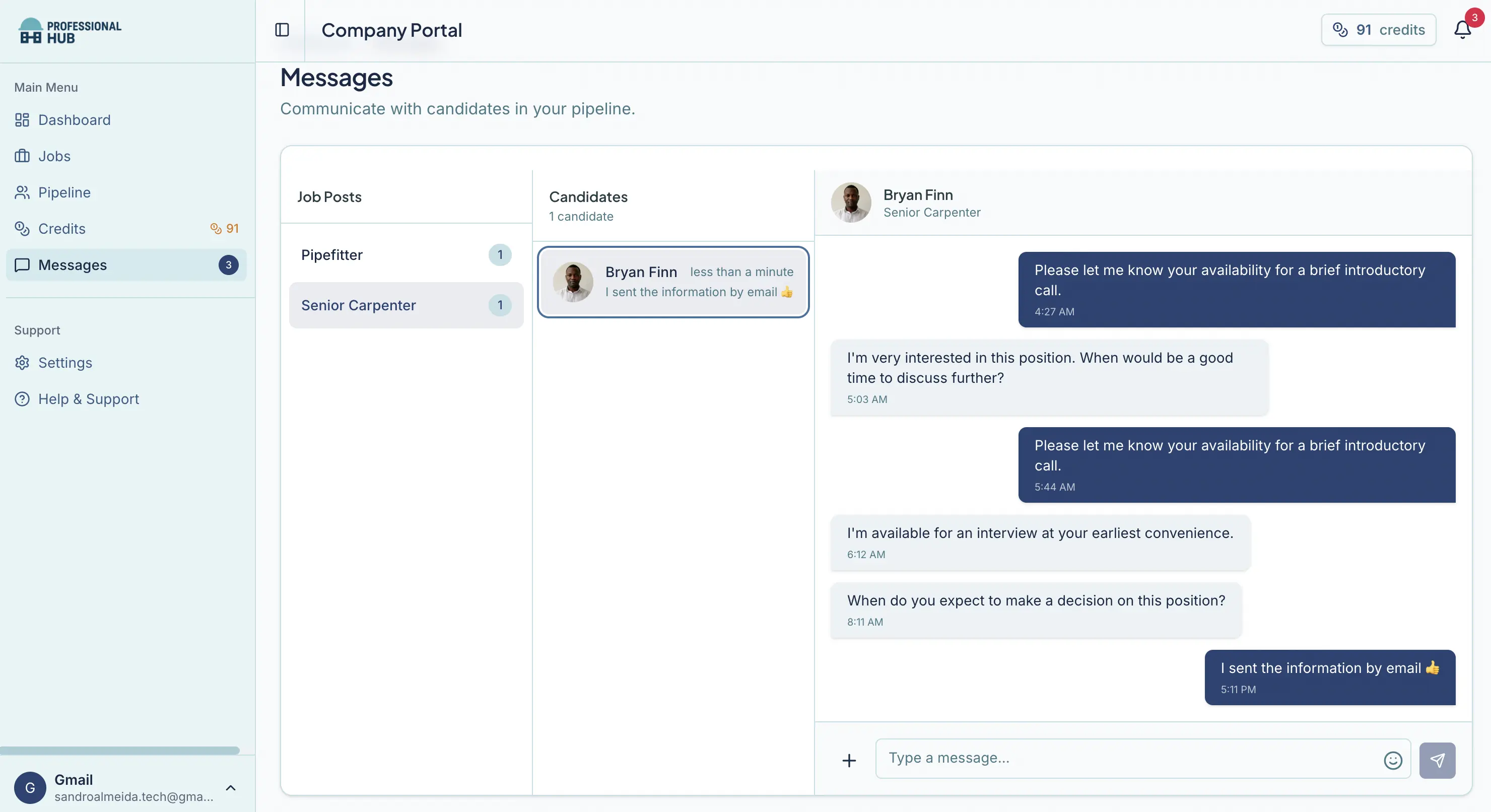
For approved candidates, send direct messages from the portal—delivered to the candidate’s Professional Hub mobile app for fast back-and-forth..
Stop chasing candidates. A 4-step flow built for construction.
Paste your job description. AI extracts requirements automatically—review, adjust, and launch.
Matched professionals are notified in the app and tap “Interested.” You’re alerted instantly.
Review the profile. Approve to complete the handshake—only then is a credit used.
Unlock contact details and messaging. Move candidates through your pipeline and hire.
No subscriptions. No hidden fees. Only pay for interested, qualified candidates.
Best for 1-2 hires
10 credits
$100 per credit
Best for on-going hiring
50 credits
$85 per credit
Save $750 vs Starter rate
Best for multi-role teams
100 credits
$75 per credit
Save $2,500 vs Starter rate
1 credit = 1 approved match (full profile unlock + contact details + messaging). Create unlimited job campaigns for free. Credits are used only after a candidate opts in and you approve the handshake—so you pay only when both sides want to connect.
Compare hiring costs across different methods.
*Assumes ~$50/hr internal hiring time.
*Assumes ~$50/hr internal hiring time. Salary base for fee $70,000-$150,000.
Got questions? We've got answers.
A credit is used only when you approve an interested candidate (Handshake). It unlocks the full profile, contact details, and direct messaging—so you can connect immediately.
Only after a candidate taps "Interested" and you approve the match. Posting job campaigns and receiving interest is free—credits are only used to connect.
Yes. Credits are valid for the period shown in your plan (e.g., 90, 180 days or 1 year).
Yes. You can create unlimited job campaigns for free. Credits are only used when you approve an interested candidate and unlock contact + messaging.
Yes. Create a free account, launch a job campaign, and view your talent pool insights and candidate interest—no credit card required. You only need credits when you approve a candidate to connect.
We can't guarantee responses, but candidates only reach your inbox after opting in. If someone goes quiet, you can approve other interested candidates using credits only when you choose to connect.
Job boards charge to post and often deliver high-volume applicants. Professional Hub is opt-in: matched candidates express interest first, and you pay only when you approve a connection.
Agencies typically charge large placement fees and run a manual process. Professional Hub gives you AI-powered matching, talent pool insights upfront, and pay-per-approved-match pricing—so you control speed, quality, and cost.
It depends on the role and hiring process. Many hires take a handful of approved matches—because credits are only used for candidates who already opted in.
No. Messaging and job campaign creation are free. Credits are only used when you approve an interested candidate to unlock contact details and messaging.
Your campaign is shown to matched professionals in the mobile app. Candidates can express interest with one tap, and you're notified.
Yes. You can purchase more credits whenever you need them.
Create your free company account and post your first job campaign in minutes. No credit card required to get started.
Free to sign up. Free to create job campaigns.